Best Cricut Machine for You: A Comprehensive Guide to Choosing Your Perfect Crafting Companion
Are you an aspiring crafter or a seasoned DIY enthusiast looking to elevate your projects? If you’ve been considering a Cricut machine but feel overwhelmed by the variety of models and features, you’ve landed in the perfect spot! Cricut cutting machines have revolutionized the world of crafting, making intricate designs and personalized creations accessible to everyone.
Choosing the best Cricut machine can feel like a daunting task with so many options available, each designed with unique capabilities. This comprehensive guide will break down what each Cricut machine can cut, what it can do, and ultimately, help you select the ideal cutting companion that perfectly aligns with your creative ambitions and specific needs. Let’s dive in and find your perfect match!
Thank you to Cricut for sponsoring this post. This post contains affiliate links for your convenience. Click HERE to read my full disclosure policy.
Table of Contents
Before we delve into the specifics of each model, let’s establish a foundational understanding of what a Cricut machine actually is and why it has become such a beloved tool in the crafting community.
What is a Cricut Machine?
At its core, a Cricut machine is an electronic cutting machine that empowers you to precisely cut an extensive array of materials into virtually any shape or design imaginable. From delicate paper and versatile vinyl to various fabrics and even thicker materials like balsa wood, Cricut machines transform your creative ideas into tangible projects. These smart cutting machines are indispensable for anyone passionate about crafting, scrapbooking, home decor, or creating unique, personalized gifts.
Each Cricut model, from the compact Cricut Joy to the robust Cricut Maker, boasts distinct features and capabilities tailored to different crafting needs and skill levels. While they all operate by connecting to a computer or mobile device via Cricut Design Space software, their cutting power, compatible materials, and project scale can vary significantly. Understanding these differences is key to making an informed decision.
As an avid user, I’ve had the pleasure of working with several Cricut models, including the Cricut Explore Air 2, the Cricut Maker, and the Cricut Joy. I’ve also kept a close eye on their newer iterations, the Explore 3 and Maker 3. Having extensively used these machines, I can provide a detailed, personal review to guide you. Whether your goal is to simply make charming cards and labels or to embark on larger, more complex projects involving fabric or dense materials, there’s a Cricut machine perfectly suited for you. The best part? None of these machines are overly complicated; they simply offer different functionalities. Let’s explore which Cricut machine will best fit your unique crafting journey.
The Versatile Workhorse: Exploring Cricut Explore Machines
Cricut Explore Air 2: The Ideal Choice for Most Crafters
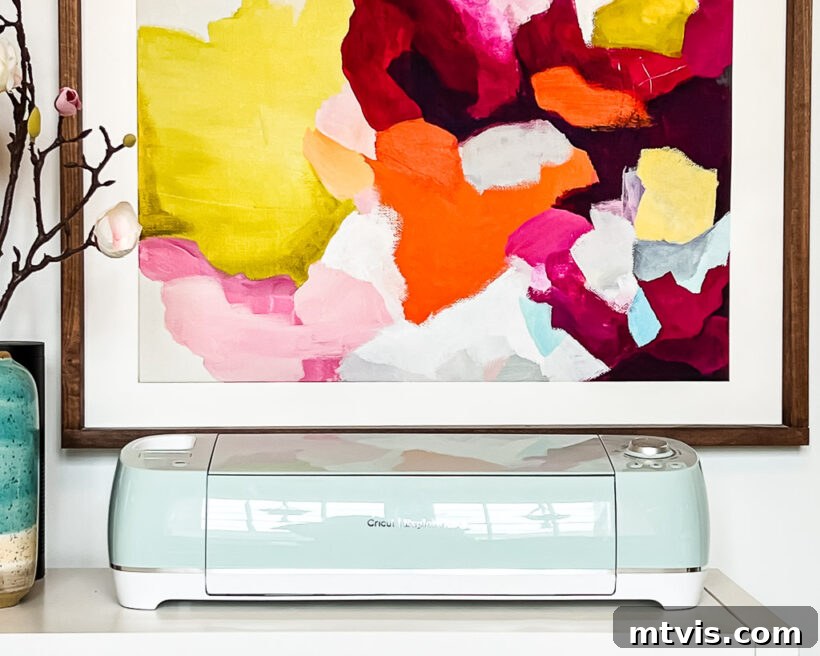
My personal go-to, and what I believe is the best choice for the majority of crafters, is the Cricut Explore Air 2. Its remarkable simplicity and consistent performance make it an absolute pleasure to use. Priced typically around $199 (and often available for even less during sales), it offers exceptional value.
What Materials Can the Cricut Explore Air 2 Cut?
Most individuals seeking a Cricut machine are primarily interested in creating projects such as custom stickers, personalized labels, or cutting popular materials like vinyl, cardstock, infusible ink transfer sheets, iron-on (HTV), and various types of paper. The Explore Air 2 excels at cutting all these materials—and over 100 more—with beautiful precision, utilizing its fine-point blade. You can find a full list of compatible materials for the Cricut Explore Air 2 here. Its incredible versatility at a more accessible price point than the Cricut Maker truly makes it the best value for most people.
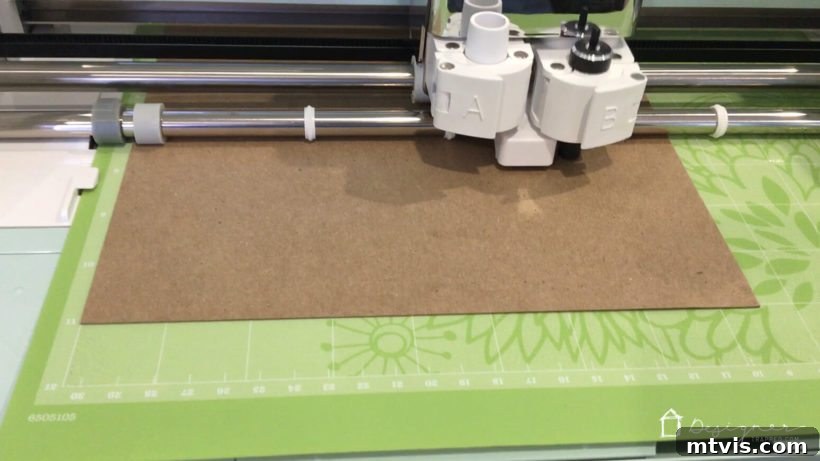
With the Cricut Explore Air 2, you can cut materials up to 2 feet long and will need to use a cutting mat for most materials. However, don’t let this limitation deter you from tackling larger projects! Even with a cutting mat, you can successfully create very substantial vinyl designs by tiling them.
Project Ideas for the Cricut Explore Air 2
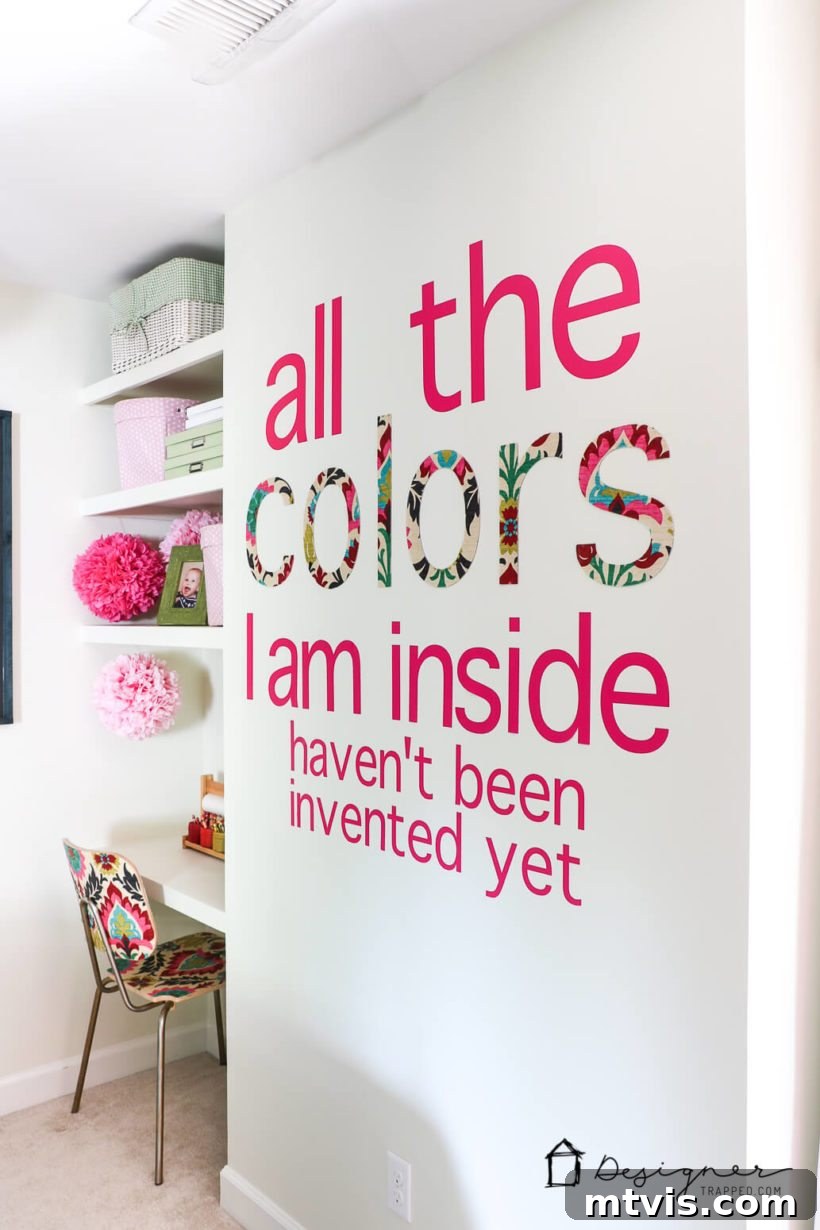
To give you a better idea of its capabilities, consider the DIY wall decals I crafted for my daughter Attley’s former room. The Explore Air 2 handled the intricate vinyl cuts flawlessly. I also used it to cut the word “colors” from chipboard, which I then coated with fabric and Mod Podge, yielding a stunning, custom decor piece. These examples highlight just how much you can achieve with an Explore Air 2!
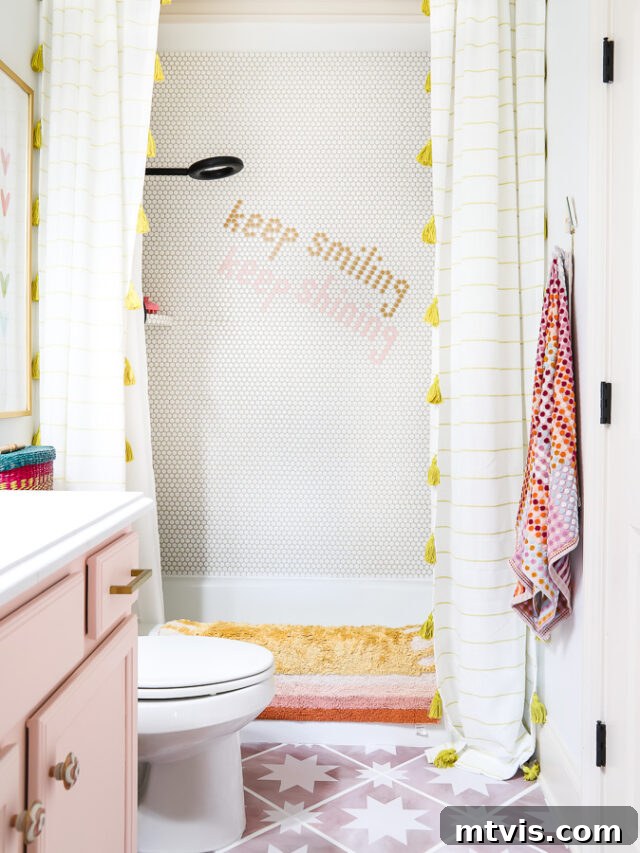
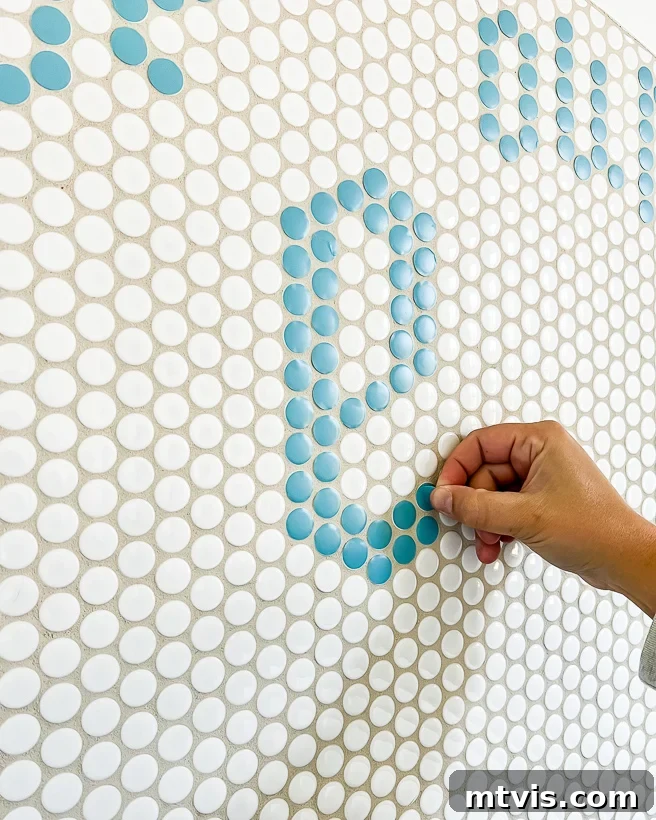
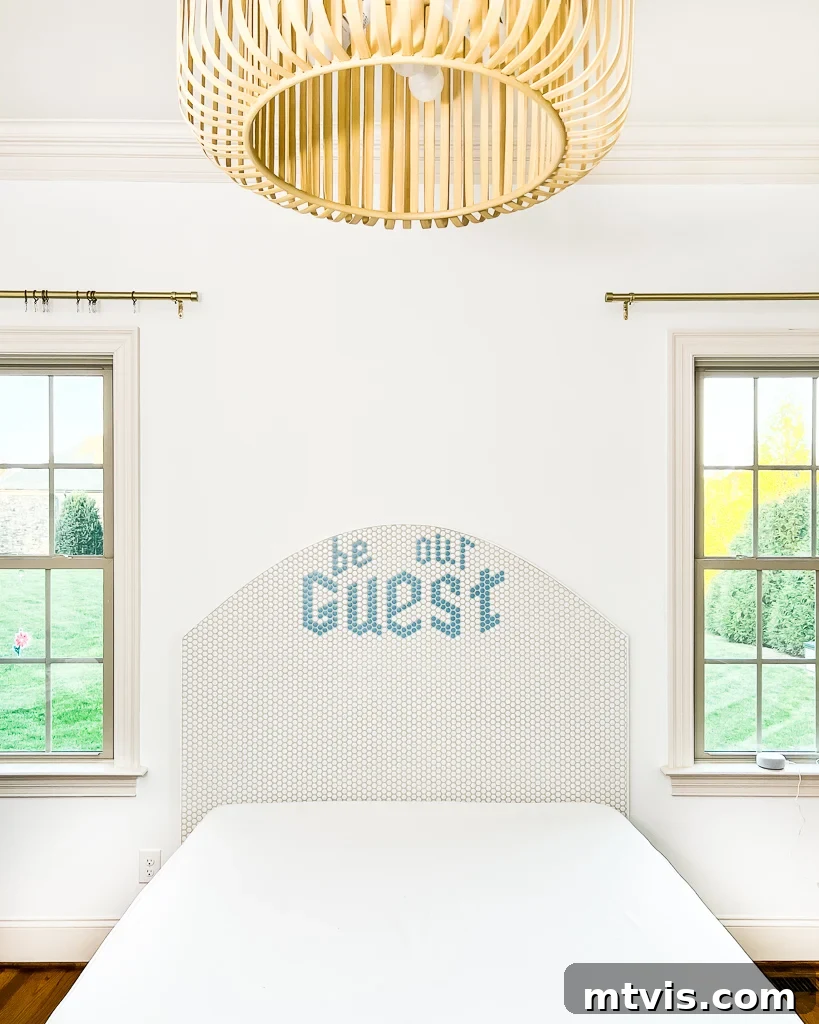
More recently, my Explore Air 2 was instrumental in cutting vinyl circles to create a unique design in my daughter’s penny tile shower and for the DIY customizable headboard in our guest room. These projects perfectly illustrate its capability for both large-scale decorative elements and smaller, intricate details.
Cricut Explore 3: Mat-Free Cutting for Enhanced Efficiency
While sharing many similarities with the Explore Air 2 in terms of cutting capabilities and compatible materials, the Cricut Explore 3 introduces a significant upgrade: the ability to cut Smart Materials without a cutting mat. This feature is a game-changer, especially for larger projects and production efficiency.
Key Advantages of the Cricut Explore 3
The Explore 3 allows for continuous cuts up to 12 feet in length when using Cricut Smart Materials (which are specifically designed to be fed directly into the machine). This eliminates the need for a mat, streamlining your workflow and reducing material handling. Imagine cutting a massive vinyl wall decal or a long banner without having to segment your design onto multiple mats! This not only saves time but also reduces the ongoing cost of replacing cutting mats. If your budget allows for its slightly higher price point (often around $299), the mat-free cutting capability of the Explore 3 makes it a compelling upgrade, especially if you anticipate working with large-scale vinyl or iron-on projects frequently.
Who Should Buy a Cricut Explore Machine?
If your primary crafting interests revolve around materials like vinyl, iron-on, cardstock, poster board, faux leather, and various papers, and you don’t frequently work with thick materials such as genuine leather, balsa wood, or fabric (without backing), then a Cricut Explore machine is an excellent choice for you. It’s truly a versatile and robust machine that handles the vast majority of common DIY projects with ease and precision. As I mentioned, it’s the machine I reach for most often due to its reliability and straightforward operation.
When deciding between the Explore Air 2 and the Explore 3, consider your budget and your desire for mat-free cutting. If the convenience of cutting Smart Materials without a mat and the ability to make incredibly long cuts appeals to you, the Explore 3 is a worthwhile investment. However, if you’re looking for the most economical purchase without sacrificing quality and versatility for everyday crafting, the Explore Air 2 remains a truly wonderful and highly capable machine that will not disappoint.
The Powerhouse for Serious Crafters: Diving into Cricut Maker Machines
Cricut Maker: Precision and Power for Advanced Projects
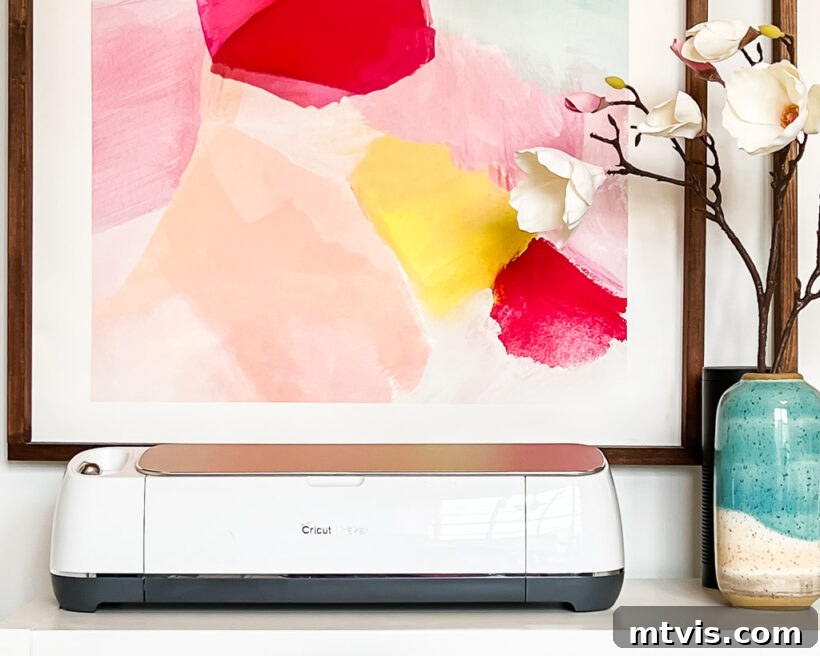
The Cricut Maker is, in a word, transformative. It’s crucial to understand that the Maker is not merely an upgraded version of the Explore; it’s an entirely different class of cutting machine designed for ultimate versatility and power. The core distinction lies in its Adaptive Tool System, which intelligently controls the direction of the blade and the cutting pressure to precisely match your material. Unlike the stationary blades found in other Cricut machines, the Maker’s system allows for complex maneuvers and exerts roughly ten times the cutting force of the Explore Air 2. The original Cricut Maker typically retails for about $219, while the newer Cricut Maker 3 commands a price closer to $400.
The Adaptive Tool System: What Makes the Maker Unique?
This innovative Adaptive Tool System is what truly sets the Maker apart. It allows the machine to use a wider array of specialized tools, each designed to perform specific functions with unparalleled accuracy. Whether it’s the gliding motion of the Rotary Blade for fabrics or the powerful stroke of the Knife Blade for dense materials, the Maker precisely adjusts its approach to deliver perfect cuts every time. The machine’s software, Cricut Design Space, automatically detects the material you’ve selected and recommends the appropriate blade and passes, taking the guesswork out of complex projects.
What Materials Can the Cricut Maker Cut?
The Cricut Maker can handle everything the Cricut Explore Air 2 can cut, plus an astonishing range of additional materials—over 300 in total. This expanded capability opens up a world of crafting possibilities that are simply not achievable with other machines.
Unlocking Fabric and Sewing Projects with the Rotary Blade
One of the Maker’s most celebrated features is its ability to cut fabrics without the need for backing material. This is a dream come true for sewers and quilters! You can say goodbye to tedious pattern cutting and pinning; the Maker can mark and cut intricate sewing patterns in minutes. It even allows you to upload your own custom sewing patterns. Quilters adore the Cricut Maker for its precision in cutting appliqué and quilt pieces, ensuring every piece fits perfectly.
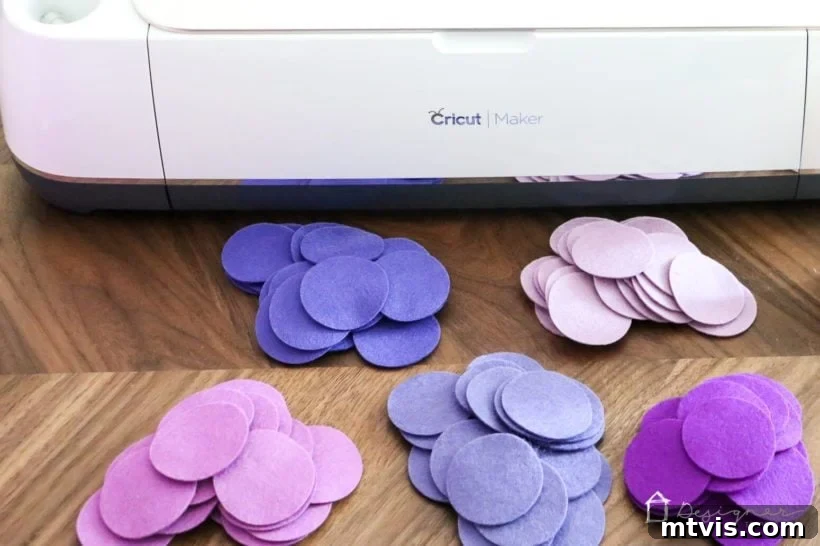
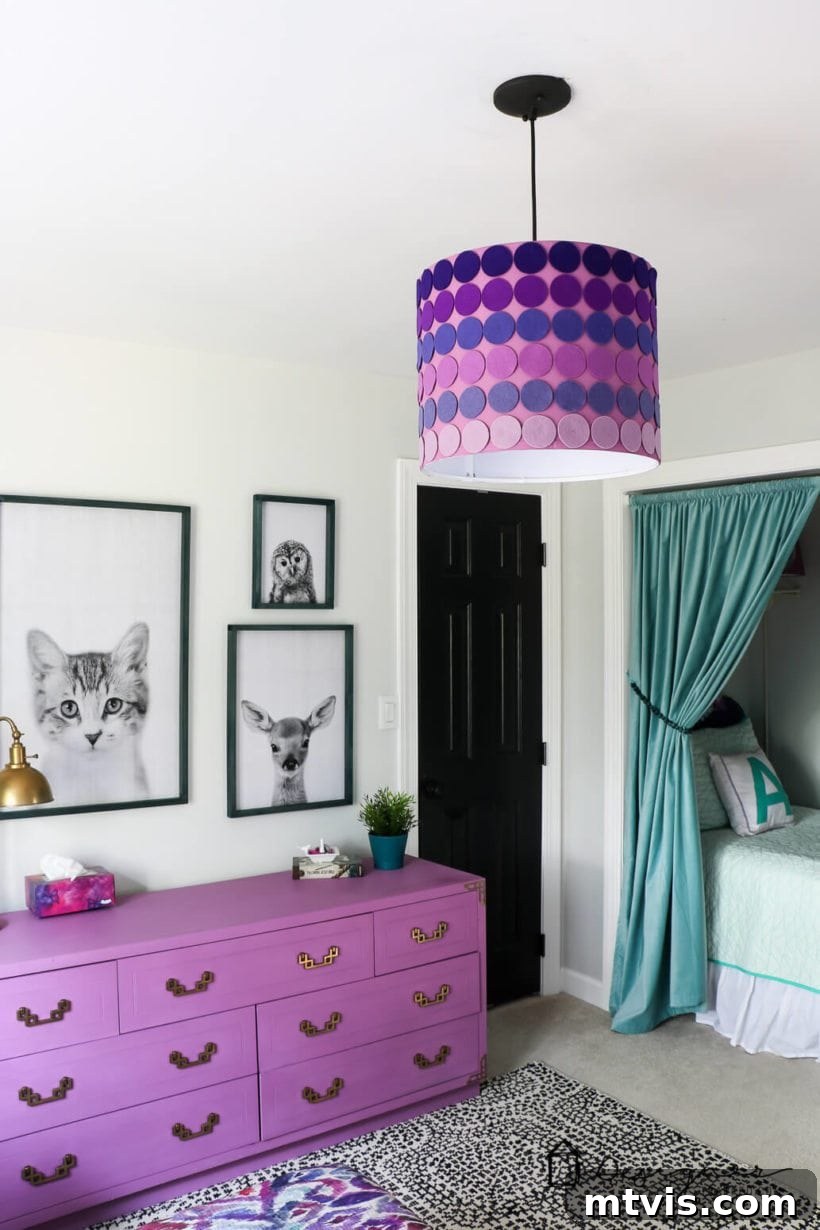
This revolutionary fabric cutting is made possible by the Rotary Blade. With its unique gliding and rolling action, the Rotary Blade cuts through materials like cotton, felt, fleece, denim, silk, and countless others quickly and accurately. I personally used it to cut felt for a DIY ombre lampshade for my daughter’s room, and I was genuinely astonished by the clean, professional quality of the cuts.
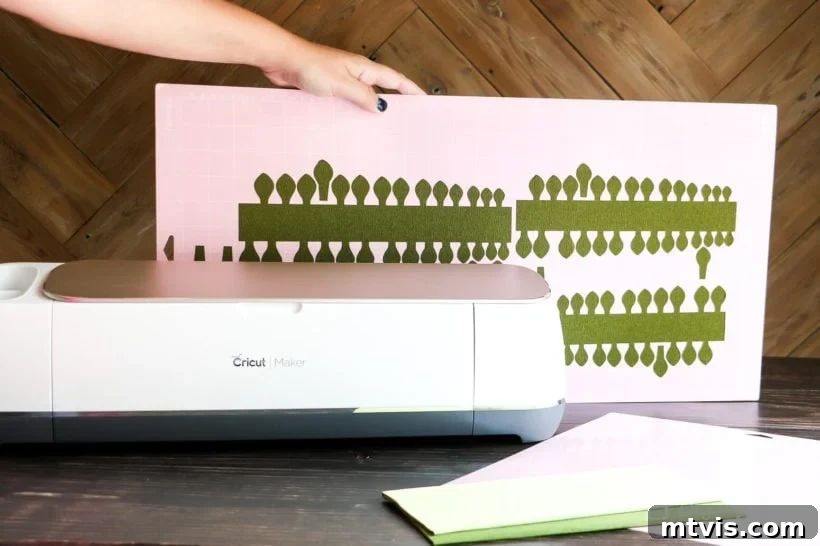
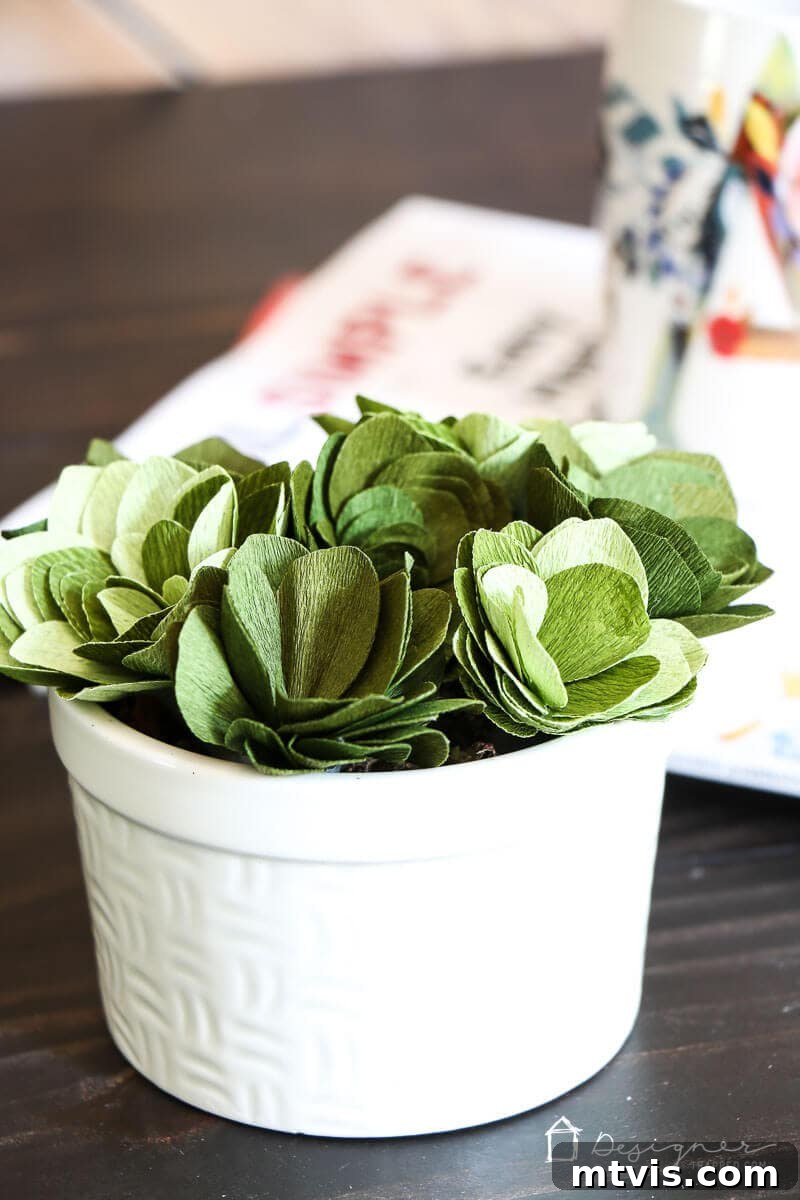
The Rotary Blade also excels at cutting super thin and delicate materials, such as crepe paper, without tearing or shredding. If you’re passionate about creating intricate paper flowers or other delicate paper crafts, the Cricut Maker will become your new best friend. I was skeptical myself until I used it to make these beautiful paper succulents – the clean cuts on crepe paper were truly impressive!
Tackling Thicker Materials with the Knife Blade
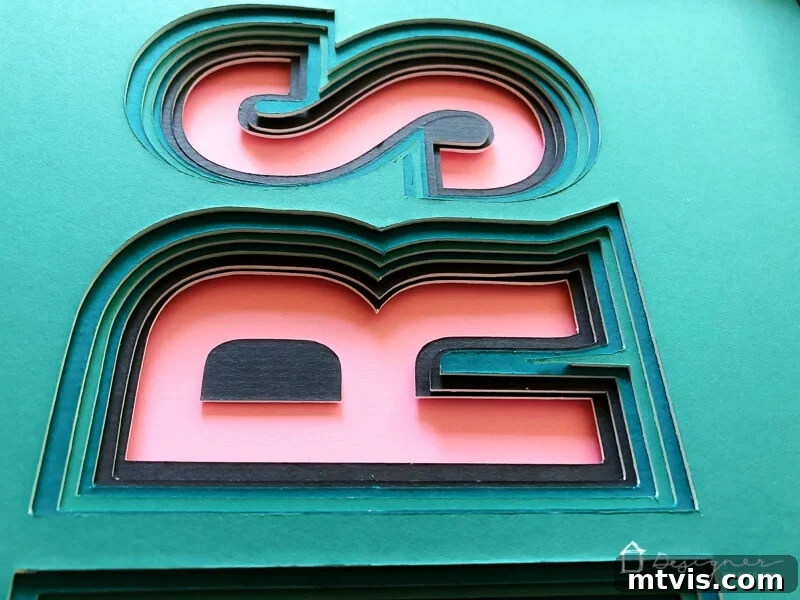
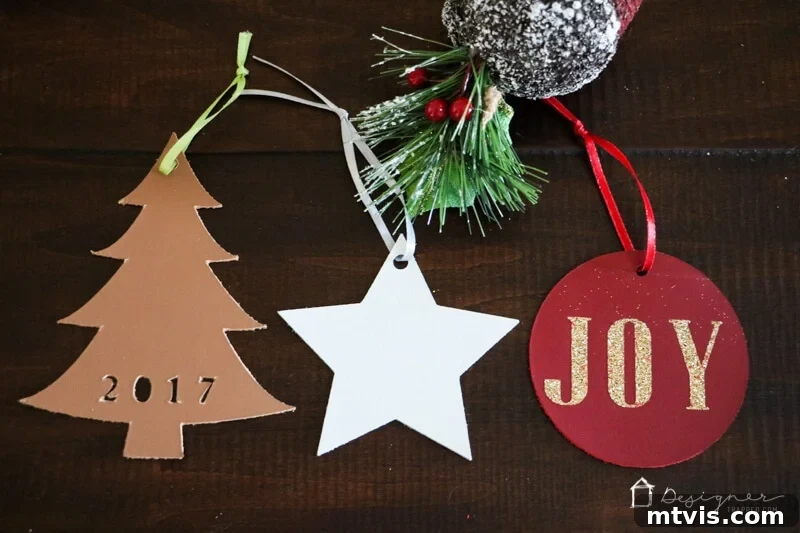
Beyond delicate fabrics and papers, the Cricut Maker, equipped with the extra-deep Knife Blade, can slice through materials up to 2.4 mm (3/32”) thick. This means you can finally put away your X-ACTO® knife for many heavy-duty projects! The Knife Blade allows your Cricut Maker to cut materials like Basswood, Balsa wood, mat board, and heavy leather with precision and consistency. I’ve personally used the Knife Blade to craft elegant leather Christmas ornaments and to cut mat board for custom 3D art pieces, achieving results that would be incredibly challenging or impossible by hand.
Cricut Explore vs. Cricut Maker: Clarifying Deep-Cut Capabilities
While the Cricut Explore machines can use a deep-cut blade for certain thicker materials, it’s essential to understand that this is not comparable to the capabilities of the Cricut Maker. The deep-cut blade for the Cricut Explore has a stationary tip, meaning it relies on brute force and multiple passes to cut. In contrast, the Cricut Maker’s Adaptive Tool System dynamically controls both the blade’s direction and pressure. This is made possible by the geared housing of the Rotary Blade and Knife Blade. When you select a material in Cricut Design Space, the software intelligently instructs the Maker on the optimal number of passes and precisely adjusts pressure with each pass, ensuring the cleanest, most accurate cuts on demanding materials. This level of control is simply not available on the Explore models.
Cricut Maker 3: Speed and Smart Material Integration
The Cricut Maker 3 builds upon the already impressive foundation of the original Maker by incorporating the ability to cut Smart Materials without a cutting mat, much like the Explore 3. This means you get the best of both worlds: the Adaptive Tool System’s power and versatility, combined with the efficiency of mat-free cutting for Smart Vinyl, Smart Iron-On, and Smart Paper. The Maker 3 also offers increased cutting speed compared to its predecessor, further enhancing productivity for large or repetitive projects. This makes the Maker 3 the ultimate machine for crafters who demand the highest level of performance, material compatibility, and streamlined workflow.
Who is the Cricut Maker Series Best Suited For?
The types of projects you can create with a Cricut Maker are virtually limitless. Its advanced capabilities extend far beyond typical vinyl, iron-on, and paper crafts, embracing fabrics, delicate papers like crepe, and robust materials such as leather and various woods. However, if your crafting interests don’t regularly involve these specialized materials, you might find more satisfaction (and savings) with the price and user-friendliness of a Cricut Explore machine.
On the other hand, if you are a passionate quilter, an enthusiastic sewer, or someone who frequently aims to create projects using thick or delicate specialized materials, then the Cricut Maker (especially the Maker 3 for added efficiency) represents a wise and invaluable investment. It truly is the ultimate crafting machine for those who want to push the boundaries of their creativity and work with the widest possible range of materials with professional-grade precision.
The Compact Companion: Discovering the Cricut Joy
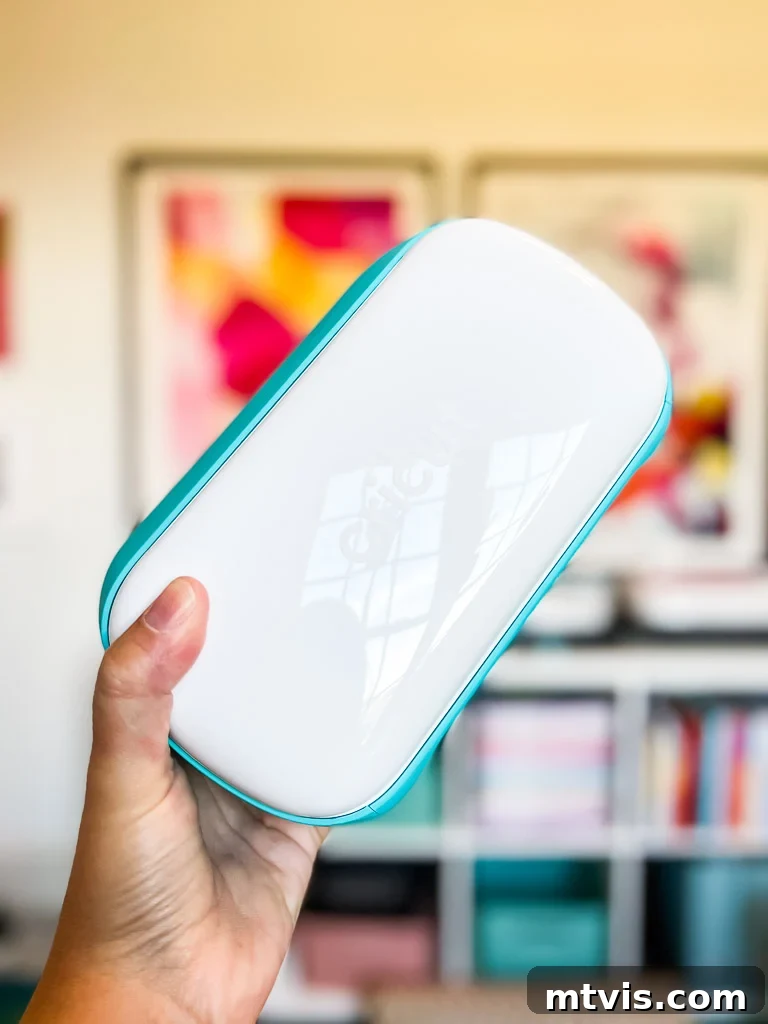
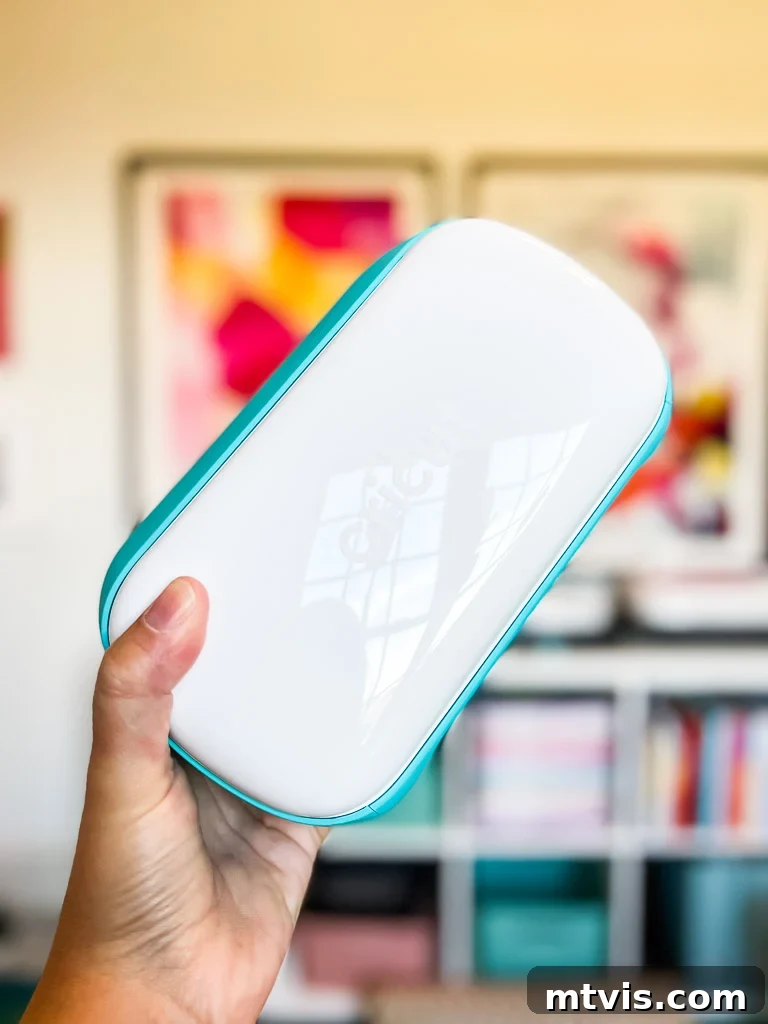
The Cricut Joy, the most recent addition to the Cricut family, has quickly become a favorite for its portability and ease of use. I recently acquired one myself and am thrilled to share my insights on this delightful little machine!
Cricut Joy: Small Footprint, Big Possibilities
The Cricut Joy stands out as the smallest and most affordable Cricut cutting machine. Measuring a mere 5″ x 8″ when closed and weighing only about 4 pounds, its compact size is a huge advantage for crafters with limited workspace or those who enjoy crafting on the go. While it can cut impressive lengths of up to 20 feet using Smart Materials, it has a notable limitation: a maximum cutting width of 5.5 inches. This makes it ideal for smaller projects and continuous cuts of specific materials, but less suitable for large-scale designs that would require extensive piecing together. The base price for a Cricut Joy is typically around $159, making it an excellent entry point into the world of smart cutting machines.
Key Differences from Explore and Maker Machines
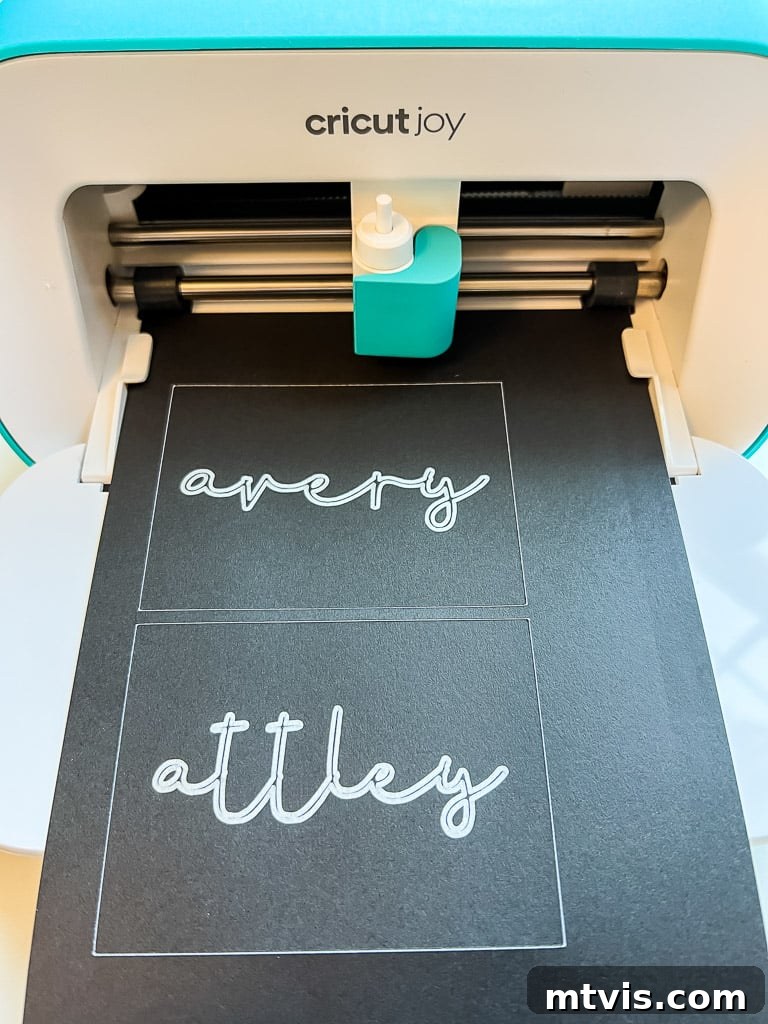
Despite its small stature, the Cricut Joy is surprisingly capable. It excels at cutting the most common materials that Cricut Explore machines handle, such as vinyl, iron-on, various papers, and even cardstock for custom cards. Importantly, it also cuts Smart Materials without a mat, a convenient feature shared with the Explore 3 and Maker 3, allowing for extended cuts up to 20 feet. However, due to its specialized design and compact size, the Cricut Joy does not support deep-cut blades, meaning it cannot cut thicker materials like leather or wood. Similarly, it lacks the specialized tools required for cutting fabric. In terms of material versatility, the Joy cuts over 50 materials, which is fewer than the Explore’s 100+ and the Maker’s 300+ materials.
Tool Compatibility: A Note for Existing Cricut Users
It’s important to note that the Cricut Joy uses its own proprietary accessories. While many blades and tools for the Maker and Explore Air 2 are interchangeable between those two models, they are not compatible with the Cricut Joy. The Joy comes with a fine-point cutting blade, but any other specialized tools, such as the foil transfer kit, must be purchased separately and are unique to the Joy. This means you cannot use your existing Maker or Explore tools with the Joy.
Do You Need a Cricut Joy if You Own Other Cricut Machines?
Technically, no. If you already own a Cricut Maker or an Explore machine, there isn’t anything the Cricut Joy can cut that your existing machine cannot. All projects suitable for the Joy can be done on its larger counterparts.
However, despite owning both a Cricut Maker and a Cricut Explore, I personally purchased a Cricut Joy (with my own money!). Part of the reason was to thoroughly test it and share my honest opinions with you. But primarily, I recognized how incredibly convenient it would be for quickly churning out projects like labels, stickers, and cards. For simple, small tasks, I often don’t want to go through the process of setting up my larger machines, retrieving cutting mats, and dedicating my entire upstairs office space. The Joy’s compact size allows me to use it virtually anywhere in my home, making spontaneous crafting much easier.
Another significant benefit for me is the minimal learning curve associated with the Cricut Joy. Its accompanying app provides a guided experience, allowing you to create fun or functional projects in 15 minutes or less. This ease of use makes it perfect for my 11-year-old twin girls, who can now independently explore their creativity without constant supervision or assistance from me.
Who Should Invest in a Cricut Joy?
If you’re new to the world of cutting machines and primarily interested in creating labels, greeting cards, small vinyl decals, or iron-on projects, the Cricut Joy is an ideal choice. Many beginners find the Cricut Maker or Explore machines a bit overwhelming due to their vast array of options. The Joy, with its focused functionality and user-friendly app experience, feels much more effortless. It’s the perfect entry-level machine for those seeking to dip their toes into crafting without a steep learning curve. It’s also fantastic for tweens and teens, or anyone who doesn’t plan on undertaking large-scale projects. Furthermore, I believe it would be an incredible and highly practical tool for teachers in a classroom setting!
However, if you envision yourself tackling larger projects, or wish to cut a broader variety of materials (especially fabrics or thicker substrates), then I would recommend opting for the Cricut Explore Air 2 or Cricut Explore 3 instead. It’s worth noting that the price difference between the Cricut Explore Air 2 and the Cricut Joy is often minimal, offering greater versatility for a similar investment.
For those who already own an Explore or Maker, the Cricut Joy is not a necessity, and you can certainly save your money. But if you desire a highly portable, quick-access machine for small, everyday tasks and your budget allows, it can be a valuable and convenient addition to your crafting arsenal, as it has been for me.
Frequently Asked Questions About Choosing Your Cricut
What about Silhouette machines? How does Silhouette compare to Cricut?
This is a very common question, and I’ve dedicated an entire unbiased review comparing Silhouette vs. Cricut. I have used both brands extensively and personally lean towards Cricut. My review delves into the exact differences and explains my preference, but ultimately, the best machine depends on your individual needs and crafting style.
What is the best Cricut machine for beginners?
For beginners, I highly recommend either the Cricut Joy or the Cricut Explore Air 2. The Cricut Joy is fantastic for its simplicity and portability, perfect for small, quick projects. The Cricut Explore Air 2 offers a wider range of capabilities for a great value, making it a versatile starting point without being overly complex.
What is the best Cricut machine for experienced crafters?
For experienced crafters seeking the broadest range of material compatibility and advanced tool options, the Cricut Maker (especially the Maker 3) is the top recommendation. Its Adaptive Tool System and ability to cut hundreds of materials, including fabric, leather, and wood, make it ideal for those who want to tackle complex and diverse projects, particularly if you enjoy sewing, quilting, or working with thicker mediums.
Final Thoughts: Making Your Cricut Machine Decision
Now that you have a detailed understanding of what each Cricut machine offers, you’re well-equipped to choose the perfect companion for your crafting journey. Reflect on the types of projects you’re most excited to create, the specific materials you envision working with, and your overall budget. Each machine has its strengths, designed to cater to different creative aspirations.
If you’re a beginner crafter or someone with limited space looking for a simple, portable solution for quick projects, the Cricut Joy might be your ideal match. For those ready to step up their crafting game with a versatile machine that handles over 100 materials for everyday projects, the Cricut Explore Air 2 offers incredible value. And if your passion lies in advanced sewing, quilting, or working with a vast array of materials including thick leather and wood, the powerful Cricut Maker is undeniably the ultimate machine to unlock your full creative potential.
Ultimately, choosing the right Cricut machine is about aligning its capabilities with your unique creative vision. With the perfect machine in hand, you’ll be able to bring your amazing DIY project ideas to life with precision and pride. I sincerely hope this guide has provided clarity and confidence in your decision-making process. Should you have any lingering questions, please don’t hesitate to reach out to me via social media!
More CRICUT Posts
SEE ALL Cricut POSTS
-
DIY Santa Sacks Your Kids Will LOVE!
-
Which is the Best Cricut Machine for You?
-
How To Make Labels With a Cricut Cutting Machine – My 2 Favorite Methods
-
Silhouette vs. Cricut – My Unbiased Review
-
Personalized Christmas Ideas With Cricut
-
DIY Advent Calendar With Cricut Air Explore 2
Other Posts You May Enjoy:
- How to Make Vinyl Wall Quotes Yourself
- 26 Clever and Creative Gifts for Makers & Crafters
- Silhouette vs. Cricut – My Unbiased Review
- Silhouette & Cricut Projects for Your Home
- Personalized Cricut Ideas for Christmas
- Cricut Cutting Review: DIY Crepe Paper Succulents
Wondering how I approach transforming rooms and spaces in our home? Check out Designer in a Binder®.
And if you want exclusive content and behind-the-scenes sneak peeks, be sure to subscribe before you head out!