Thank you to Cricut for sponsoring this post. As always, I share my honest opinions and only recommend products that truly impress me and that I would confidently recommend to my family and friends.
For those who have followed my crafting journey for a while, you’ll likely know my deep affection for my Cricut Explore Air 2 machine. It’s been a cornerstone of countless DIY projects in my home. If you’re curious about why I lean towards Cricut, you can delve into my detailed comparison of Cricut versus Silhouette (having used both extensively) in this comprehensive review. But prepare to fall in love all over again, because Cricut has introduced a game-changer: the Cricut Maker. This innovative smart cutting machine has profoundly impacted how I approach DIY home decor and crafting. It’s not just an upgrade; it’s a revolution for anyone passionate about creating. Given that the Cricut Maker opens up entirely new creative avenues, I wanted to provide a thorough, in-depth review to help you decide if this remarkable machine deserves a spot on your crafting wish list.
If the Cricut Maker is a completely new concept to you, I highly recommend watching the introductory video below. It offers a fantastic overview of its capabilities before we dive into the more extensive details of this review.
This post contains some affiliate links for your convenience (which means if you make a purchase after clicking a link I will earn a small commission which helps keep my blog up and running but it won’t cost you a penny more)! Click here to read my full disclosure policy.
What is the Cricut Maker? Unveiling a New Era in Smart Cutting
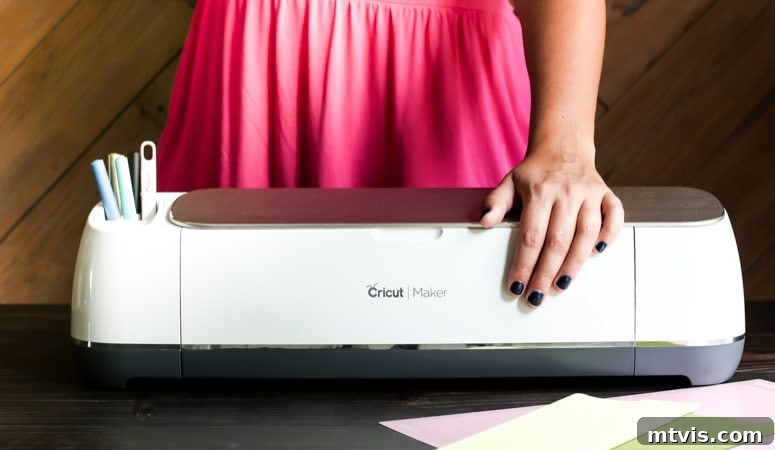
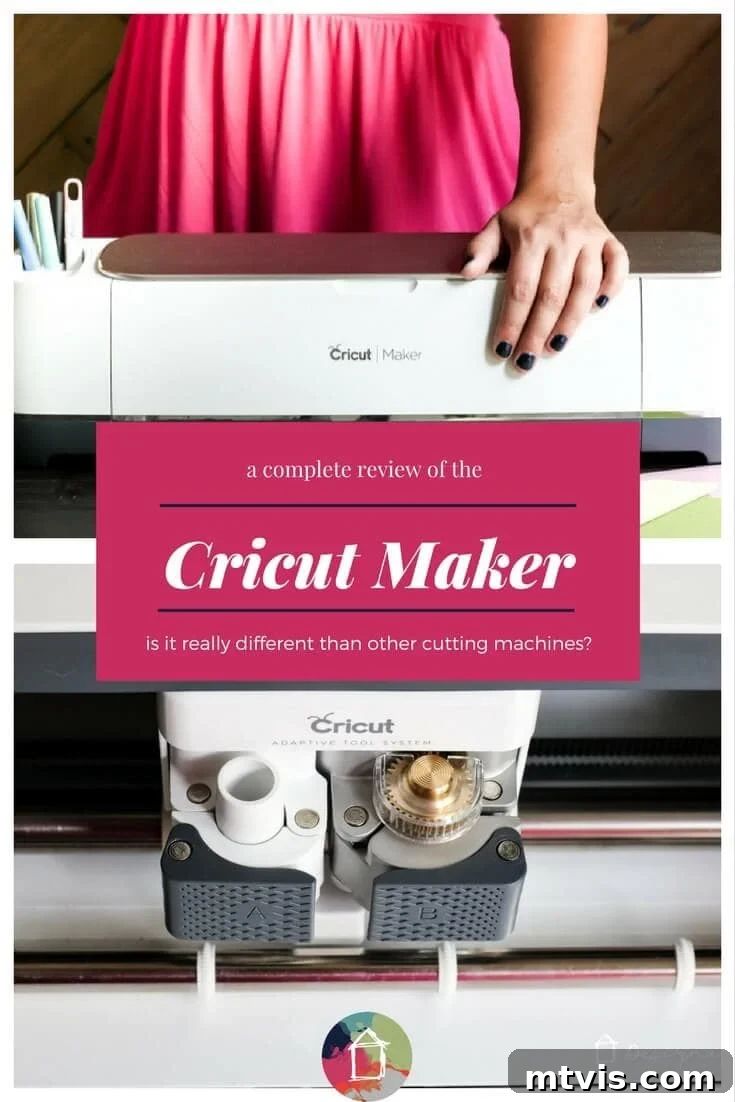
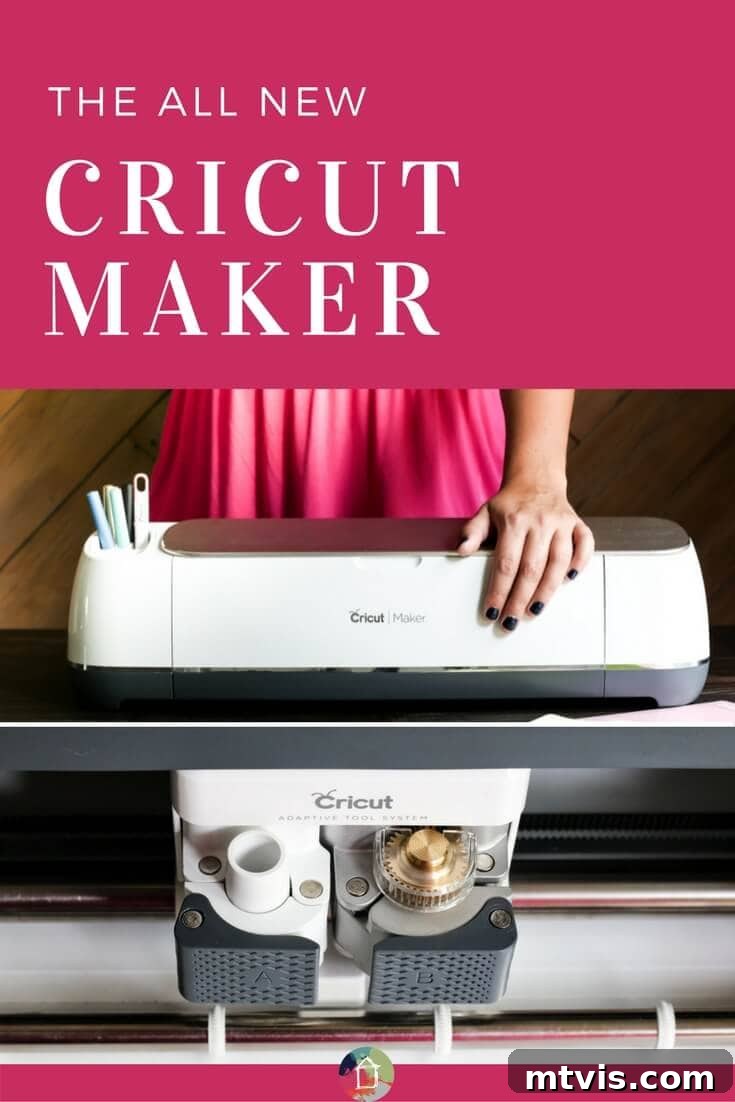
To describe the Cricut Maker in a single word, it would be “transformative.” This isn’t merely an updated version of the Explore series; it’s an entirely new class of smart cutting machine, engineered from the ground up to empower makers with unparalleled versatility and precision. The Cricut Maker stands apart by introducing advanced tools and an intelligent Adaptive Tool System that dramatically expands the range of materials it can cut and the projects you can undertake.
One of its most groundbreaking features is its ability to effortlessly cut a wide array of fabrics without the need for backing material! This alone is a monumental leap for sewing and textile projects. Imagine cutting intricate sewing patterns in minutes, perfectly precise and ready for assembly. This eliminates the tedious process of manually cutting out patterns or pinning them to fabric. This revolution is made possible by a remarkable new accessory: the **Rotary Blade**. The Rotary Blade brings industrial-level precision fabric cutting to the home crafting world. Its unique gliding, rolling action allows it to cut virtually any fabric – from delicate silks to sturdy denim, felt, cotton, and fleece – quickly, accurately, and without puckering or tearing, all without any stabilizing backing material. This means less preparation time and more creation time for your sewing, quilting, and fabric crafting projects.
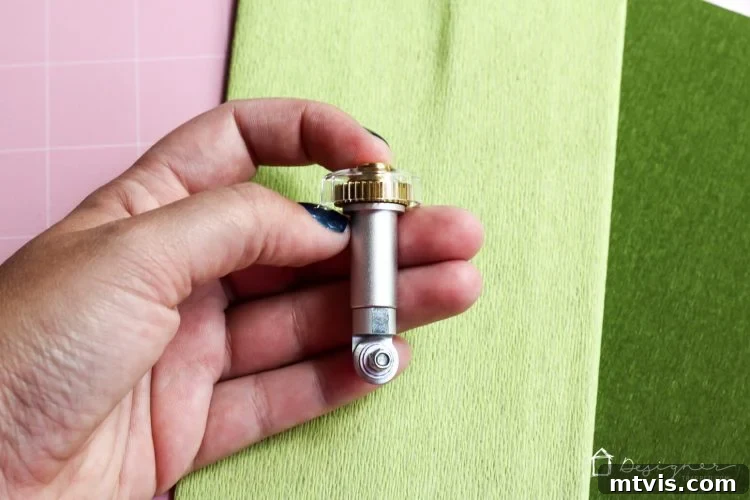
Beyond fabrics, the Cricut Maker’s Rotary Blade also excels at handling incredibly thin and delicate materials. Crafters who work with fine papers, such as crepe paper or tissue paper, will find it indispensable. It glides through these fragile mediums without tearing, making it an absolute dream for creating intricate paper flowers, layered decorations, or delicate embellishments. If you’ve ever spent hours meticulously hand-cutting petals, the Cricut Maker is poised to become your new best friend.
Adding another layer of incredible capability, the Cricut Maker is equipped to utilize a different innovative blade: the **Knife Blade**. This extra-deep blade empowers the machine to cut materials up to 2.4 mm (3/32”) thick. This opens up a whole new realm of possibilities for home decor, model making, and structural crafts. You can finally put away your X-ACTO® knife for many heavy-duty tasks! With the Knife Blade, the Cricut Maker can precisely cut dense materials like Basswood, Balsa wood, mat board, and even thick, heavy leather. The potential for custom wooden signs, intricate leather goods, professional-grade photo mats, or even layered architectural models is truly exciting. I’m personally eager to test its capabilities with materials like acrylic, further pushing the boundaries of what this powerful cutting machine can achieve.
Cricut Maker vs. Explore: The Nuance of Thick Material Cutting
It’s a common and valid question: “But can’t the Cricut Explore machines already cut thick materials with a deep-cut blade?” While the Cricut Explore series, including the Cricut Explore Air 2, does offer a deep-cut blade attachment, the functionality and precision are fundamentally different from what the Cricut Maker achieves. This distinction lies at the heart of the Maker’s innovative design.
With the Cricut Explore and other similar machines (like those from Silhouette), the tip of the deep-cut blade remains stationary as it moves across the material. While effective for certain thicker materials, this method can sometimes lead to dragging, tearing, or less precise cuts, especially on very dense or intricate designs. The blade essentially “drags and turns,” which has limitations in terms of force and maneuverability.
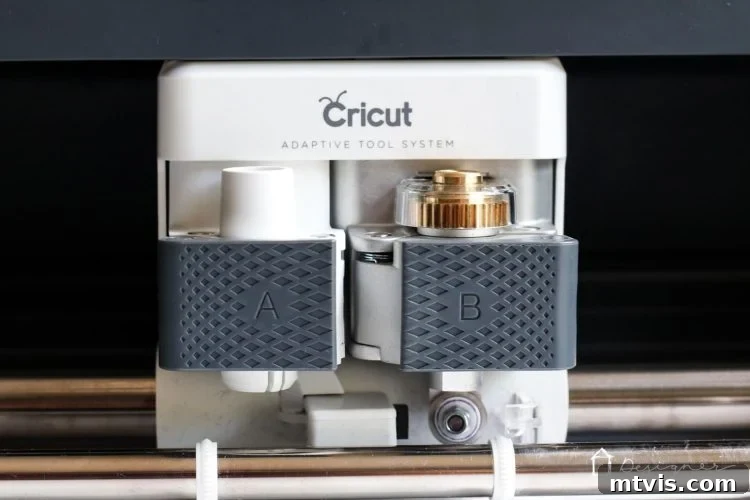
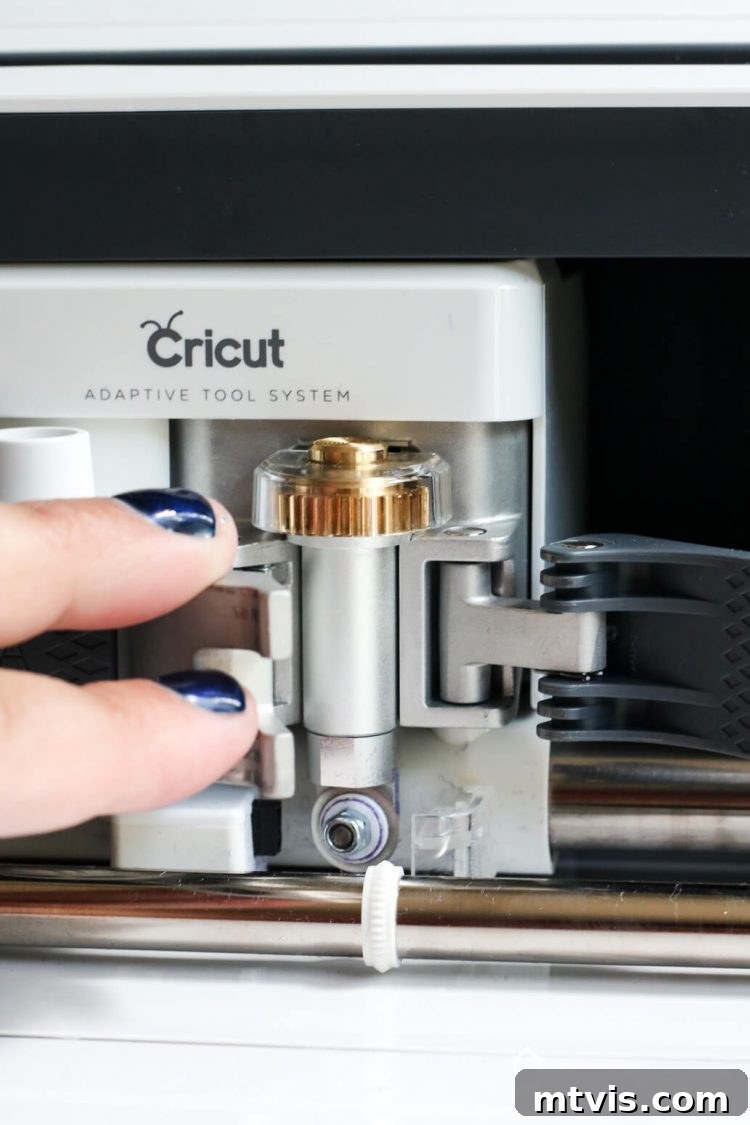
The Cricut Maker, however, introduces the revolutionary **Adaptive Tool System**. This intelligent system represents a paradigm shift in cutting technology. Instead of a fixed blade tip, the Maker can actively control both the direction of the blade and the cutting pressure to perfectly match the specific material you are working with. This incredible capability is made possible by gears located at the top of the specialized Rotary Blade and Knife Blade housings. These gears allow the machine to literally lift and rotate the blade as it navigates corners and intricate details, ensuring a clean, precise cut every single time, without the drag and pull associated with traditional fixed blades.
Furthermore, when you select your material within the intuitive Cricut Design Space software, the system automatically communicates with the Cricut Maker. It intelligently determines whether multiple passes are required for a clean cut and precisely tweaks the cutting pressure with each pass. This level of automation and adaptive control means that whether you’re cutting delicate crepe paper or thick basswood, the Maker optimizes its performance for flawless results, taking the guesswork out of complex projects and significantly reducing material waste.
Revolutionizing Fabric Cutting: Why the Cricut Maker is a Game Changer
Another common question arises from experienced Cricut Explore users: “My Cricut Explore can already cut fabric, so what’s the big deal with the Maker?” The answer lies in a fundamental difference that transforms the entire fabric crafting experience. While the Cricut Explore can cut fabric, it typically requires the use of fusible webbing or a strong backing material applied to the fabric. This is essential because the Explore’s traditional drag blade can push, bunch, and tear fabric if it’s not adequately stabilized. This adds an extra, often time-consuming, step to every fabric project.
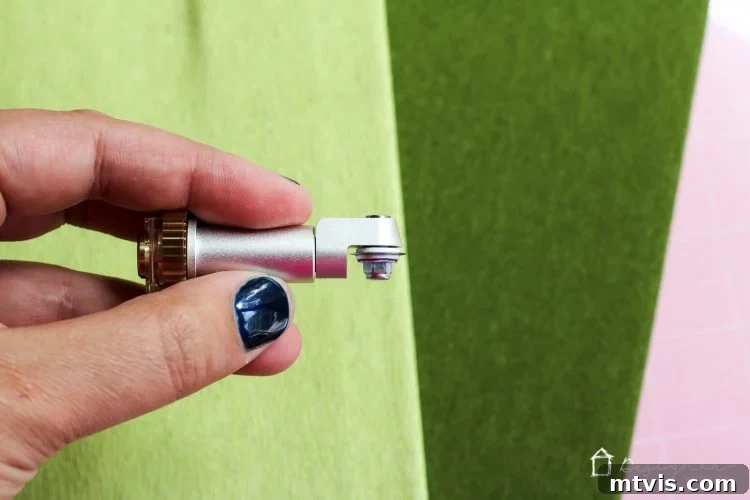
The real “big deal” with the Cricut Maker is its ability to cut fabric without any fusible webbing or backing whatsoever! This is a monumental shift that significantly streamlines the fabric cutting process. The secret, once again, is the **Rotary Blade**. Unlike a traditional blade that drags along the fabric, the Rotary Blade has a unique, rolling action. It moves as smoothly as butter over the surface of the fabric, meticulously cutting through even delicate or stretchy materials without causing any distortion, bunching, or tearing. This means your fabric pieces emerge perfectly cut and ready for sewing, appliqué, or any other textile art.
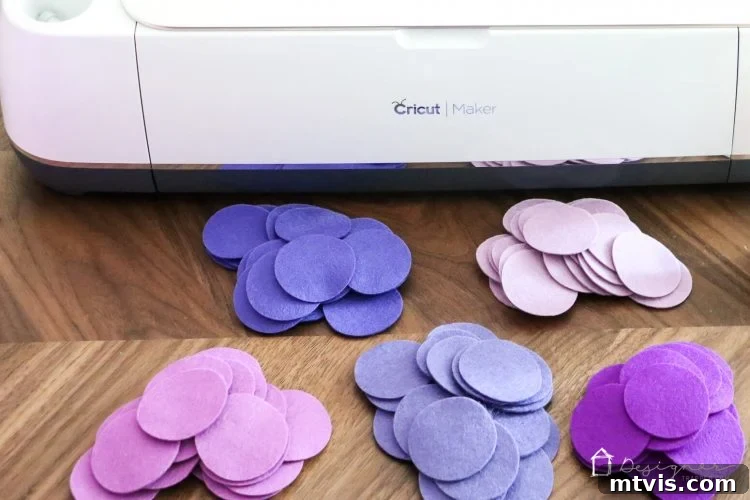
I’ve personally put the Cricut Maker through its paces, cutting a diverse range of materials. I’ve used it for intricate crepe paper designs, delicate thin fabrics, robust thick fabrics, and even dense wool felt. Each time, the results have been nothing short of mind-blowingly perfect. The precision and cleanliness of the cuts are consistently flawless. For example, I recently cut out a multitude of wool felt circles, and the Maker produced them all with absolute uniformity and crisp edges. You’ll soon see the exciting project I created with these perfect felt pieces, showcasing the incredible potential of the Cricut Maker for fabric-based crafts.
Cricut Maker vs. Explore Air 2: Is the Upgrade Worth It for You?
The question of whether to invest in a Cricut Maker when you already own a Cricut Explore Air 2 is a common one, and the answer truly depends on your crafting aspirations and the types of projects you envision. While the Explore Air 2 is a fantastic machine, the Maker opens up entirely new dimensions of creativity and efficiency.
If you frequently work with fabric, or if you aspire to incorporate more sewing and textile projects into your crafting, then investing in the Cricut Maker will be an absolute revelation. You will save countless hours of tedious manual cutting and eliminate the frustration associated with backing fabric. Not only can you cut your own custom fabric designs – perfect for quilting squares or unique appliqué patterns in SVG format – but Cricut Design Space now features a vast library of pre-designed quilting, apparel, and accessory patterns from renowned brands like Riley Blake and Simplicity. Imagine a world where you no longer need to painstakingly cut out and pin complex sewing patterns; the Maker does it for you with unmatched precision. Even as someone who rarely sewed before, I find myself drawn to more fabric projects now that the Cricut Maker has made the initial steps so effortless and enjoyable.
Similarly, if you have a passion for creating intricate paper flowers or other delicate paper crafts, the Cricut Maker will quickly become your indispensable tool. Its ability to cut super delicate materials like tissue paper and crepe paper without tearing is a game-changer. I recall the immense time spent hand-cutting petals and leaves for my wedding flowers 15 years ago; the thought of how many hours the Cricut Maker could have saved me nearly brings tears to my eyes! This machine dramatically simplifies the creation of stunning paper botanicals and other fragile designs. You can see some of the beautiful crepe paper I’ve cut with my Cricut Maker below, demonstrating its finesse.
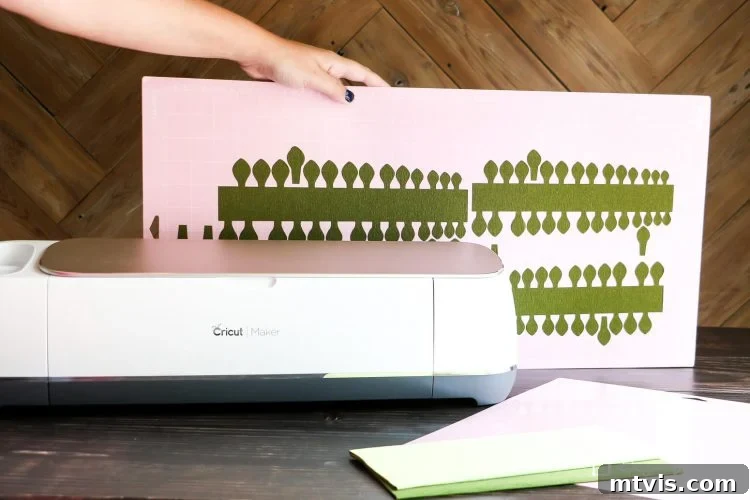
Furthermore, for DIY enthusiasts who leverage their cutting machine for ambitious home decor projects, the Cricut Maker opens up a universe of possibilities that the Explore Air 2 simply cannot match. Envision crafting entire wall installations of intricately cut wood patterns, custom professional-grade photo mats, or cutting elaborate fabric patterns to seamlessly transfer onto curtains, duvet covers, or even directly onto walls. The versatility extends to cutting various materials like chipboard, heavy leather, and even potentially acrylic (with proper testing). The possibilities with the Cricut Maker for elevating your home decor are truly boundless, far exceeding the capabilities of the Explore Air 2.
However, if your primary use for a cutting machine revolves around traditional paper crafts (card making, scrapbooking), vinyl projects (decals, iron-ons), and you have no current desire to delve into delicate papers, a wide range of fabrics, or thicker materials like wood and heavy leather, then your existing Cricut Explore Air 2 machine will continue to serve you wonderfully. It’s an excellent machine for these applications. The Maker is an investment that truly shines when its advanced capabilities for a broader material range are fully utilized.
Cricut Maker Pricing, Availability, and Long-Term Value
When the Cricut Maker first launched on August 20, 2017, it was introduced at a price point of $399. Since then, it has become widely available at major retailers and online, making it accessible to crafters worldwide. This initial purchase typically includes the Cricut Maker machine itself, the groundbreaking Rotary Blade, and two essential mats: a Light Grip mat for lighter materials and a specialized FabricGrip mat designed specifically for textile projects. The highly anticipated Knife Blade, which further expands the Maker’s capabilities for thicker materials, became available shortly after its initial release in October 2017 and is now a standard accessory.
There’s no denying that the Cricut Maker represents a higher investment compared to other Cricut machines. However, its cost is directly justified by its unparalleled versatility and advanced features. It stands as the most capable and adaptable of all Cricut cutting machines, truly earning its position as a flagship product. For serious crafters, small business owners, or anyone looking to explore a vast range of materials and projects, the Maker’s ability to handle everything from tissue paper to basswood makes it an incredibly valuable asset.
One of the most compelling aspects of the Cricut Maker’s design is its future-proofing. Cricut has designed the Adaptive Tool System to accommodate all future tools. This means that as Cricut develops new blades, scoring wheels, engraving tips, or other specialized tools, they are designed to seamlessly integrate with your existing Maker machine. This foresight ensures that your investment continues to grow in capability and relevance over time, allowing you to simply purchase new blades or tools as they are released, without needing to upgrade the entire machine. This commitment to long-term adaptability significantly enhances the Maker’s value proposition, making it a smart and enduring choice for serious makers.
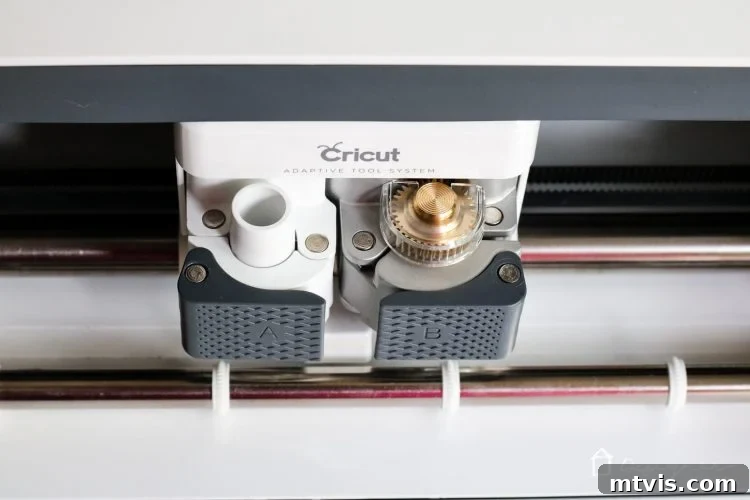
The Cricut Maker Experience: Design and Features Up Close
The moment you first interact with the Cricut Maker, one word immediately springs to mind: substantial. From its sleek design to its robust construction, the machine exudes a feeling of incredible sturdiness and premium quality. It feels even more solidly built than the Explore Air 2, which itself is a high-quality machine, demonstrating Cricut’s commitment to superior craftsmanship and durability.
Beyond its aesthetic appeal and solid build, the Cricut Maker incorporates several thoughtful design enhancements that significantly improve the user experience. A highly appreciated feature is the integrated slot at the top, perfectly sized to hold your phone or iPad. This keeps your device easily accessible and visible for following Design Space instructions or tutorials. Even better, it includes a convenient USB port, allowing you to charge your devices right there while you craft – a small but incredibly useful addition that keeps your workspace tidy and powered up! (Wooo hooo, indeed!)
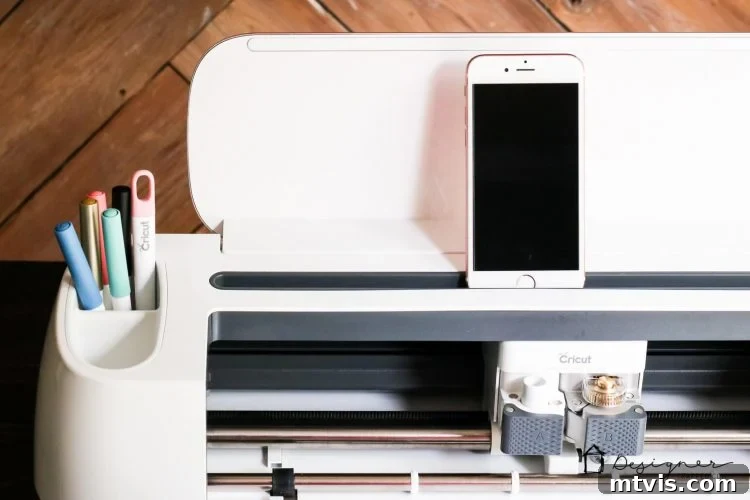
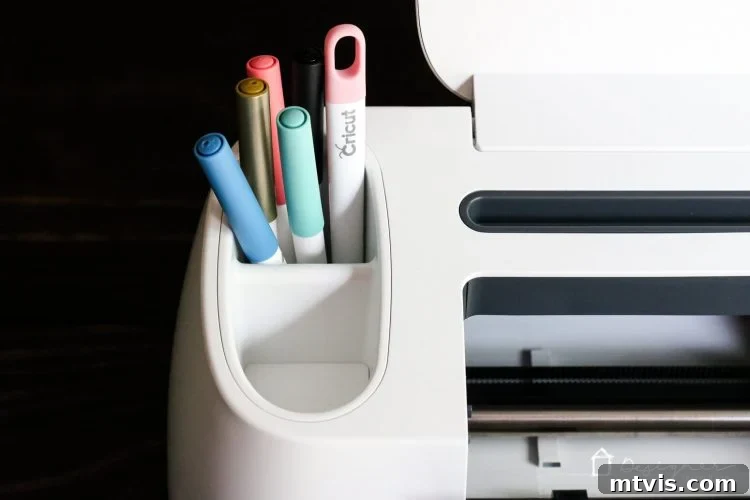
The internal organization of the Maker also received a significant upgrade. It boasts deeper front tool storage, providing ample space to neatly store more of your essential crafting tools. Furthermore, it features two dedicated tool cups: one deep cup, ideal for holding various pens and markers, and another shallow cup, perfect for securely storing blades that are not currently in use. These small but impactful design choices contribute to a more organized and efficient crafting environment.
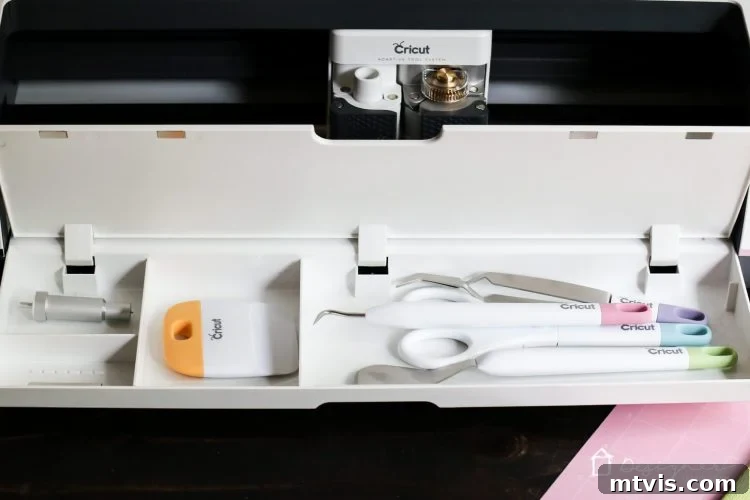
One of the most significant operational differences between the Cricut Maker and the Cricut Explore Air 2 is the removal of the physical material selection dial. While this might require a slight adjustment for long-time Explore users, it is a change I wholeheartedly embrace. Many crafters, myself included, have experienced the frustration of forgetting to adjust the dial, resulting in ruined materials or imperfect cuts. The Maker eliminates this common pitfall.
With the Cricut Maker, all material selections are made digitally within the intuitive Design Space software before you initiate the cut. But the intelligence doesn’t stop there. The Maker automatically detects the blade you have installed, providing an extra layer of reassurance. If you’ve forgotten to load the correct Rotary Blade for a fabric project, for instance, the Cricut Maker will proactively notify you, prompting you to install the right tool before proceeding. This “idiot-proof” functionality is a huge benefit, especially for busy crafters who might be juggling multiple projects and can occasionally be forgetful. This seamless integration of hardware and software makes the crafting process more reliable, efficient, and ultimately, more enjoyable.
For an even closer look at the physical attributes and thoughtful design of the machine itself, be sure to watch the video below.
That’s a considerable amount of information to digest, isn’t it? The Cricut Maker truly is a marvel of crafting technology, pushing the boundaries of what a home cutting machine can achieve. If you have any further questions about the Cricut Maker or anything I’ve covered, please don’t hesitate to reach out. I’d love to chat more about its capabilities! Simply head over to my Facebook page and post your question on my wall – I’ll do my best to get back to you as quickly as possible. And, if you found this detailed review helpful, please consider sharing this post on Facebook or saving it to Pinterest so you can easily reference it again later and help other crafters discover the power of the Maker!
This is a sponsored conversation written by me on behalf of Cricut. The opinions and text are all mine.
Other posts you may enjoy:
- Which Cricut Machine Is Right for You?
- Silhouette vs. Cricut – My Unbiased Review
- Inspiring Silhouette & Cricut Projects for Your Home and Life
- How to Use Cricut Iron On Vinyl on Stretchy Fabrics
- Personalized Gifts With Cricut Infusible Ink: Crafting Unique Presents
Curious about my unique approach to transforming rooms and spaces in our home? Explore Designer in a Binder® for an affordable and simple decorating methodology.
And for exclusive content, behind-the-scenes sneak peeks, and the latest crafting insights, be sure to subscribe to my newsletter before you go!